LLM-Ready Content vs. Human-Ready Content
Published February 10, 2025
Updated February 10, 2025

The question I keep getting
“How is AI-ready content different from regular content?” I hear that every week. Short answer: it’s the same story, just packaged so an LLM doesn’t have to reverse-engineer your layout or watch your embedded video to understand what’s going on.
Humans are forgiving—they’ll infer meaning, rewind a video, read between the lines. Agents are blunt. If they can’t parse it, they bounce to another source. So “LLM-ready content” isn’t some new copy stream. It’s regular content with guard rails, text equivalents, and predictable structure.
Principle #1: Make every rich element machine-parsable
I stumbled on a Posterior Oblique Sling (POS) progression article the other day. Nice demo video. But the thing that stuck with me was a small text box next to it that spelled out the entire progression: setup, cues, rep scheme, what to feel. That little block is the “AI-ready” version. The model never has to watch the video—it just reads the steps.
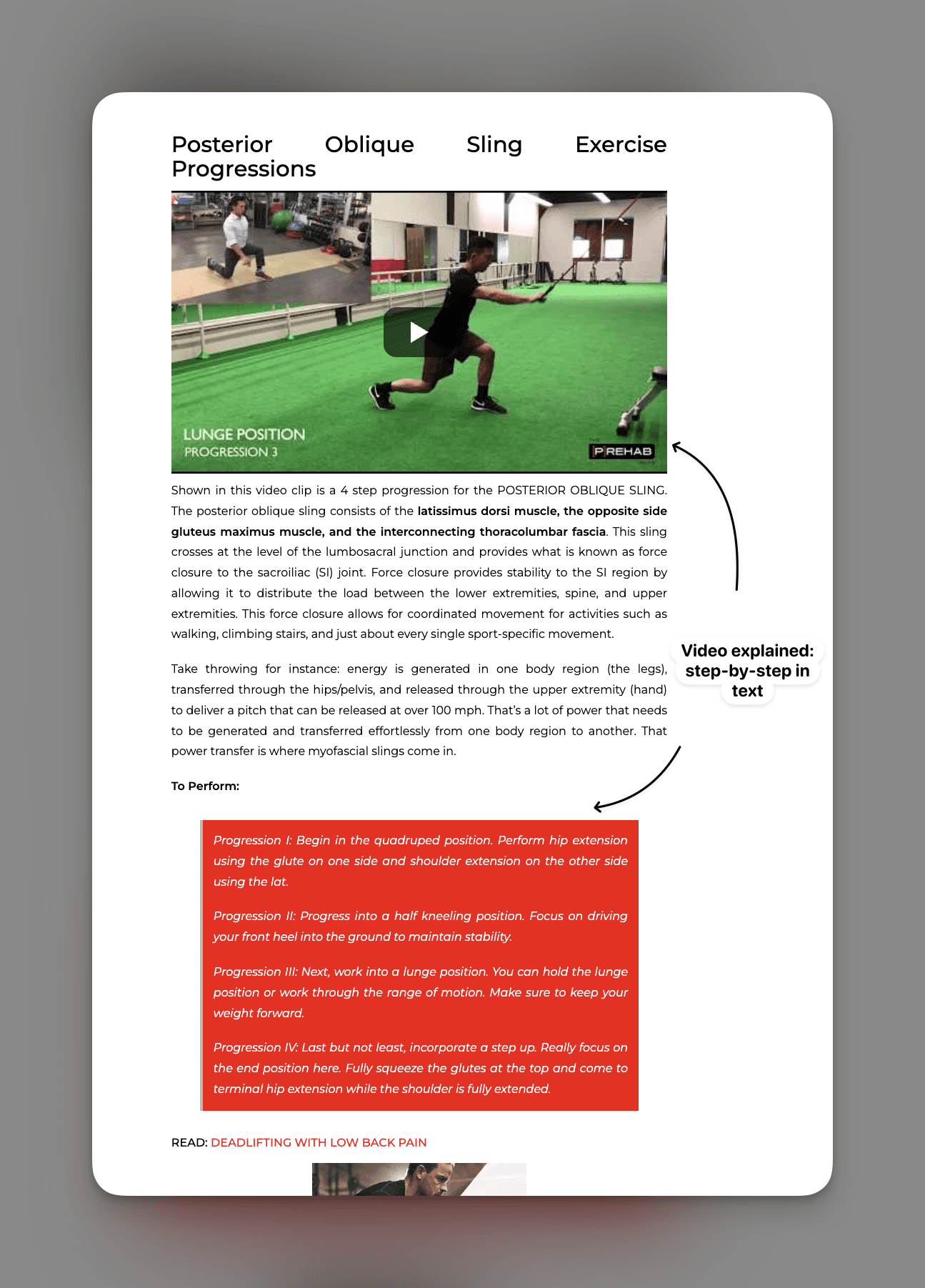
Source: The Prehab Guys — Posterior Oblique Sling Progressions
Why it helps humans too
This isn’t just for bots. People learn faster when they get multiple modalities. Watch the video, then skim the checklist. Perfect for bookmarking, and perfect for any assistant that wants to cite you later.
Principle #2: Serve the right format depending on who’s asking
If a human opens the page, keep the HTML, the animations, the worked examples. If an agent hits you—with a bot UA, a crawl header, whatever—hand it markdown or structured JSON. Same hierarchy, same sections, just no fluff. Yes, that means you maintain a converter. Treat it like a build artifact, not a chore.
Bun’s docs are a great reference
Bun figured this out early. When Claude or any agent fetches their docs, the server hands back markdown. No DOM parsing. Zero guesswork. That little tweet made me smile because it’s the most boring solution and it works.
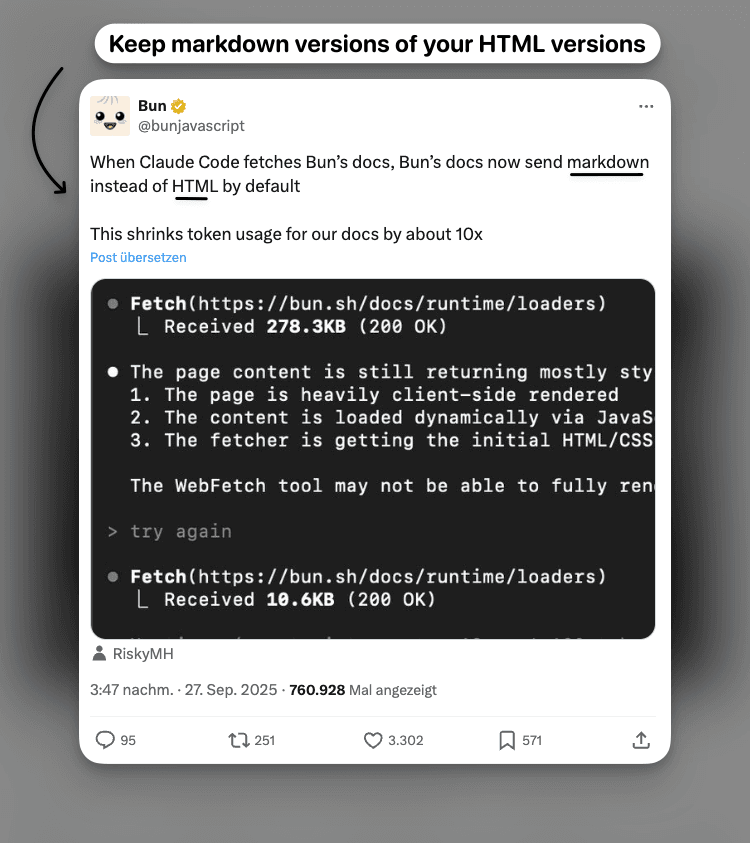
Source: Bun on X
They even sprinkle “Open in ChatGPT” buttons in the UI. Click one, your current page gets piped into ChatGPT, and you’re suddenly answering questions in-context. The kicker: it gets logged as a user mention, which is basically free distribution inside these assistants.
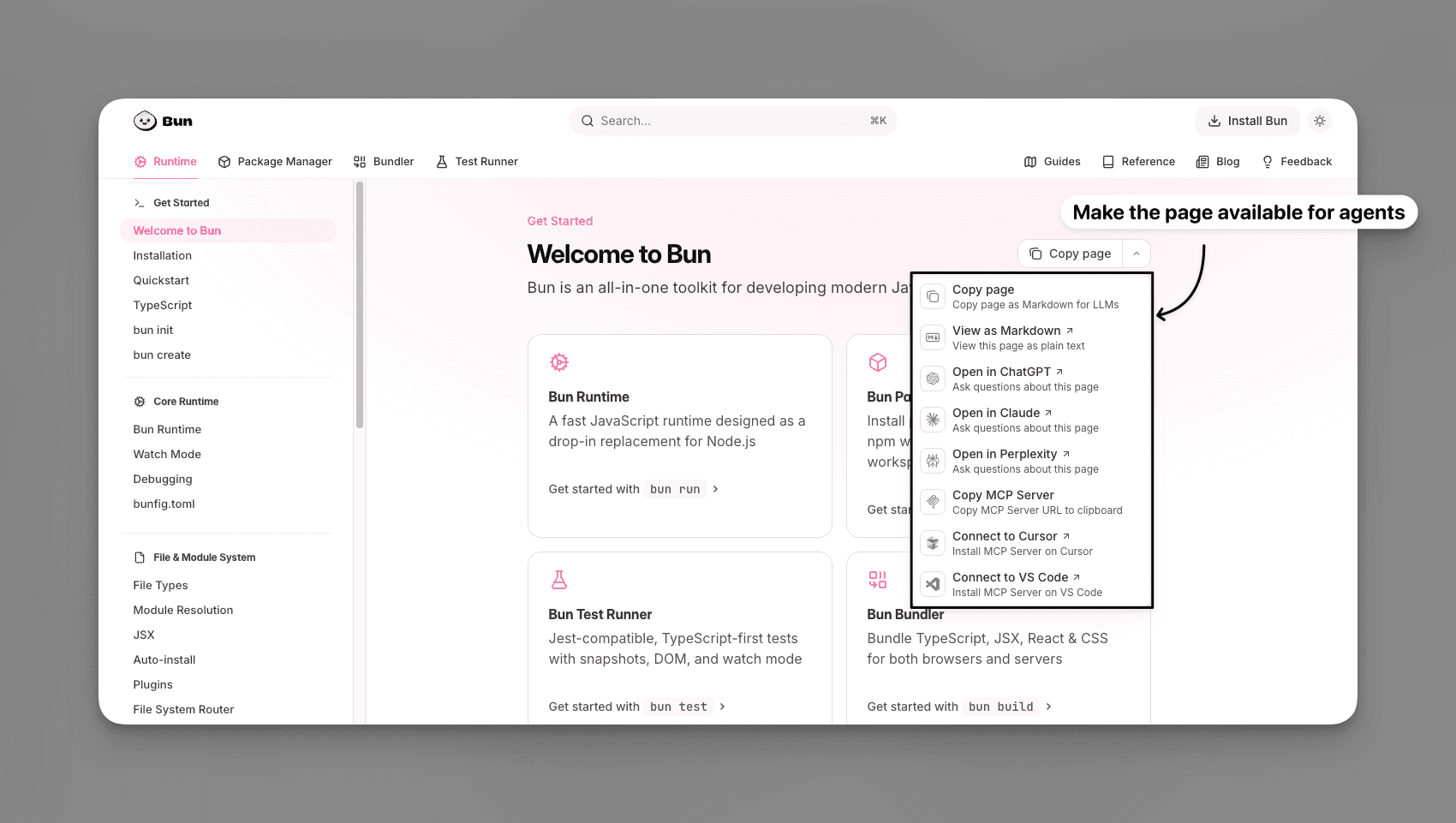
Source: Bun Docs
Principle #3: Close the loop with instrumentation
Once you’re serving markdown, instrument it. Which sections do agents hit? Which buttons trigger “Open in ChatGPT”? That’s free insight into what people are trying to do in assistants. Go add more examples there. Fill in the gaps. Treat agent traffic like another cohort in your analytics.
Checklist for publishing LLM-ready content
- Expose the same facts in multiple modalities. Video + text, table + paragraph, diagram + bullet list.
- Detect the client. Default to HTML for people, return markdown/JSON for bots and agents.
- Maintain a reliable converter. Every production deploy should generate the markdown version alongside the page.
- Add assistant shortcuts. “Open in ChatGPT” or “Copy markdown” buttons turn curious readers into amplifiers.
- Log consumption. Treat agent traffic like another analytics segment so you can improve the experience.
Do those five things and you’re already ahead of most “AI-ready” landing pages. No need for hype—just give the model something it can read without squinting, and your human readers will thank you too.